
Building an OpenSocial Application (1)
by Eiji Kitamura
I tried running my own apps on Orkut and MySpace, so here is a report on that.
Since the specifications haven't fully settled yet, there are still quite a few gray areas. However, OpenSocial seems to play very well with Google Gadgets, and platforms like Orkut, MySpace, and hi5 are all built with Google Gadgets in mind. So, in this post, I'll explain the basics of creating a Google Gadget and how to add an application to Orkut.
What is a Gadget? #
A Google Gadget is a simple application written in JavaScript and HTML that runs on iGoogle. The JavaScript and HTML are embedded within an XML file, and configuration settings are also defined in the XML.
<?xml version="1.0" encoding="UTF-8" ?>
<module>
 <moduleprefs title="Blah Blah Gadget"
  description="Gadget Example"
  author_email="***@***.com"
 >
 </moduleprefs>
 <content type="html">
.....
 </content>
</module>
The XML looks something like this. By writing JavaScript and HTML inside Content, that content will be displayed on iGoogle or as an OpenSocial application on platforms like MySpace.
Because gadgets allow JavaScript, they are designed to run in an iframe on a separate domain (gmodules.com in the case of iGoogle) to avoid vulnerabilities like XSS. By changing the type attribute of Content from "html" to "url" and specifying a URL with href, it's also possible to display a server you manage inside the iframe.
Delving into the Google Gadget specifications itself is an endless rabbit hole, so I'll leave it at that. For more details, please see the reference.
Getting an Orkut Sandbox Account #
Since Orkut is directly tied to Google, OpenSocial specification updates seem to be reflected there the fastest. The OpenSocial experimental environment for Orkut is called the Sandbox, and you can use it by obtaining a Sandbox account, which extends a regular Orkut account.
To get an account, please apply here. It seems to take a few days for the application to be approved.
Adding an OpenSocial App to Orkut #
Once you have successfully obtained an account, you'll be able to actually try out applications. By the way, you need to host the Google Gadget XML file on a server somewhere, so anywhere you can upload files—even Geocities—should do the trick.
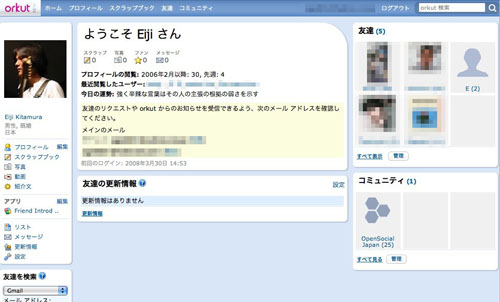
When you log into the Sandbox, it looks like this. At first glance, it doesn't look any different from the regular login screen, except for one thing:
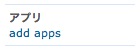
There is a link to add applications on the left side of the screen. When you click it...
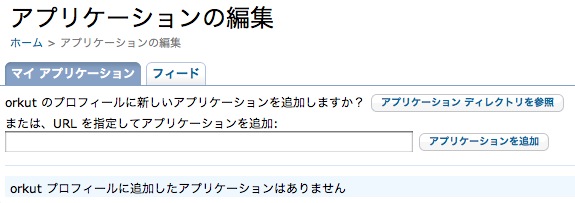
You can add an application by specifying the URL of the XML file. (By the way, there are almost never any apps in the application directory.)
Let's try it out with an application I made. Enter the following in the URL field:
http://devlab.agektmr.com/OpenSocial/FriendIntroducer.xml
Clicking the "Add Application" button will take you to the next screen.
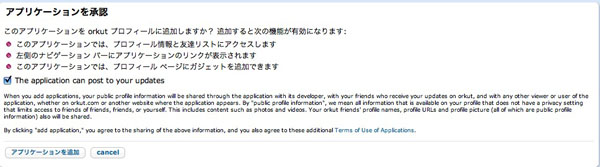
Clicking the "Add Application" button here as well completes the process of adding the application.
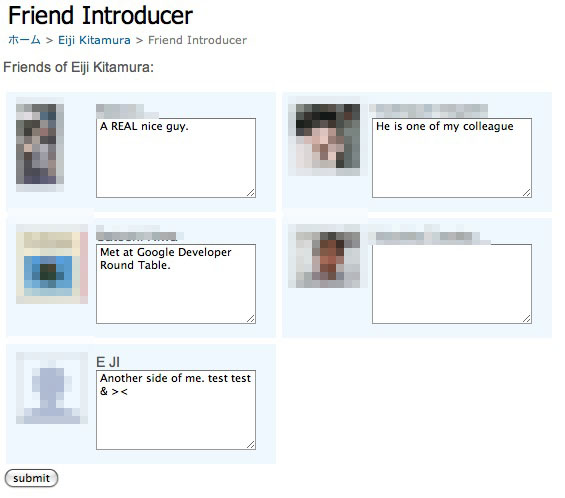
If a screen like this appears, it's a success. If you don't have any friends on Orkut, feel free to send a friend request to my account.
That's it for part 1!