
Mind mapping service that can be used offline - MindMeister
by Eiji Kitamura
Today, I came across a really cool service for the first time in a while, so I'd like to share it.
MindMeister #

A mind map is a notation/tool that helps organize ideas by branching out words like tree limbs. In my case, while to-dos and ideas pop up constantly, I struggle with organizing them systematically, so I've been using FreeMind, a free mind mapping tool.
I typically use it for things like:
- Meeting minutes and lecture notes
- To-do notes
- Organizing thoughts while writing specifications
- Organizing thoughts while preparing presentation slides
In all these cases, the workflow is simply to jot everything down furiously, then group and organize them later.
However, the problem has been FreeMind's speed. On the Mac OS X version, it takes several minutes just to launch even on a Core2Duo MacBook (version 0.8.1 or later?). Just when launching it was becoming too much of a hassle, MindMeister announced the release of version 2.
So, I decided to give it a try right away.
Editing Features #
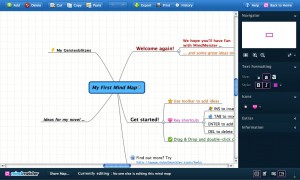
As you can see, it is much more feature-rich than FreeMind (though I haven't used MindManager). Beyond just adding icons to each node, you can also change colors, font sizes, and add notes. Japanese input works without any issues, of course. The note-taking feature was something I personally really wanted in FreeMind.
Additionally, while I haven't tried it yet, it seems to have to-do management features as well.
OpenID Support #
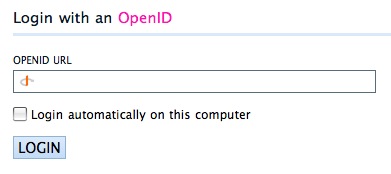
It also supports OpenID, which has been gaining popularity recently. OpenID is a common protocol that allows you to use services via authentication from third-party services like Yahoo. (*Note: If you use OpenID, you won't be able to authenticate with the widgets mentioned later, making them unusable.)
Importing from FreeMind and MindManager #
You can import mind maps from major mind mapping tools like FreeMind and MindManager. This is a very welcome feature.
Quick Posting from Widgets and Browsers #

It feels like an understatement to just list them out, but it supports the following widgets/gadgets:
- Windows Vista Sidebar Gadget
- iGoogle Gadget
- Yahoo! Widget Engine Widget
- Mac OS X Dashboard Widget
With a single post from a widget/gadget, items are appended directly to your designated default mind map. This looks like it'll be great for managing to-dos. Much appreciated.
On top of that, there are also IE/Firefox extensions and dedicated pages for iPhone.
Offline Support #
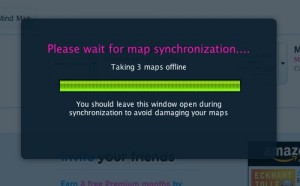
Above all, this might be the killer feature: offline capabilities.
While it requires Google Gears in Firefox or Internet Explorer, you can use MindMeister offline. With this, you can jot down your ideas anytime, anywhere.
Conclusion #
Although I couldn't cover everything here, it actually offers collaborative mind map editing features and even an API. It's practically the textbook definition of a "Web 2.0" service (a term that almost feels a bit dated by now).
That said, offline capabilities and related technologies can't yet be called fully mature, so it'll be interesting to see how things evolve. How will the boundaries between Google Gears, Prism, and HTML5 shake out? Furthermore, the importance of widgets and gadgets is growing day by day. It's definitely time to polish up those JavaScript skills…!