
About the Spectre Threat and Headers Websites Should Set
by Eiji Kitamura
This is a long article, so I'll start with the conclusion.
With the arrival of Spectre, the security requirements for websites have increased. Specifically, the following measures are needed:
- Use the
Cross-Origin-Resource-Policyheader on all resources to control their loading into cross-origin documents. - Add the
X-Frame-Optionsheader or theContent-Security-Policy(CSP) header'sframe-ancestorsdirective to HTML documents to control iframe embedding into cross-origin pages. - Add the
Cross-Origin-Opener-Policyheader to HTML documents to control communication with cross-origin pages when opened as popup windows. - Add appropriate
Content-Typeheaders andX-Content-Type-Options: nosniffheaders to all resources to prevent malicious loading from cross-origin contexts.
To understand why these headers are necessary and how they work, let's first look back at how modern browsers display web pages.
How browsers work: a recap #
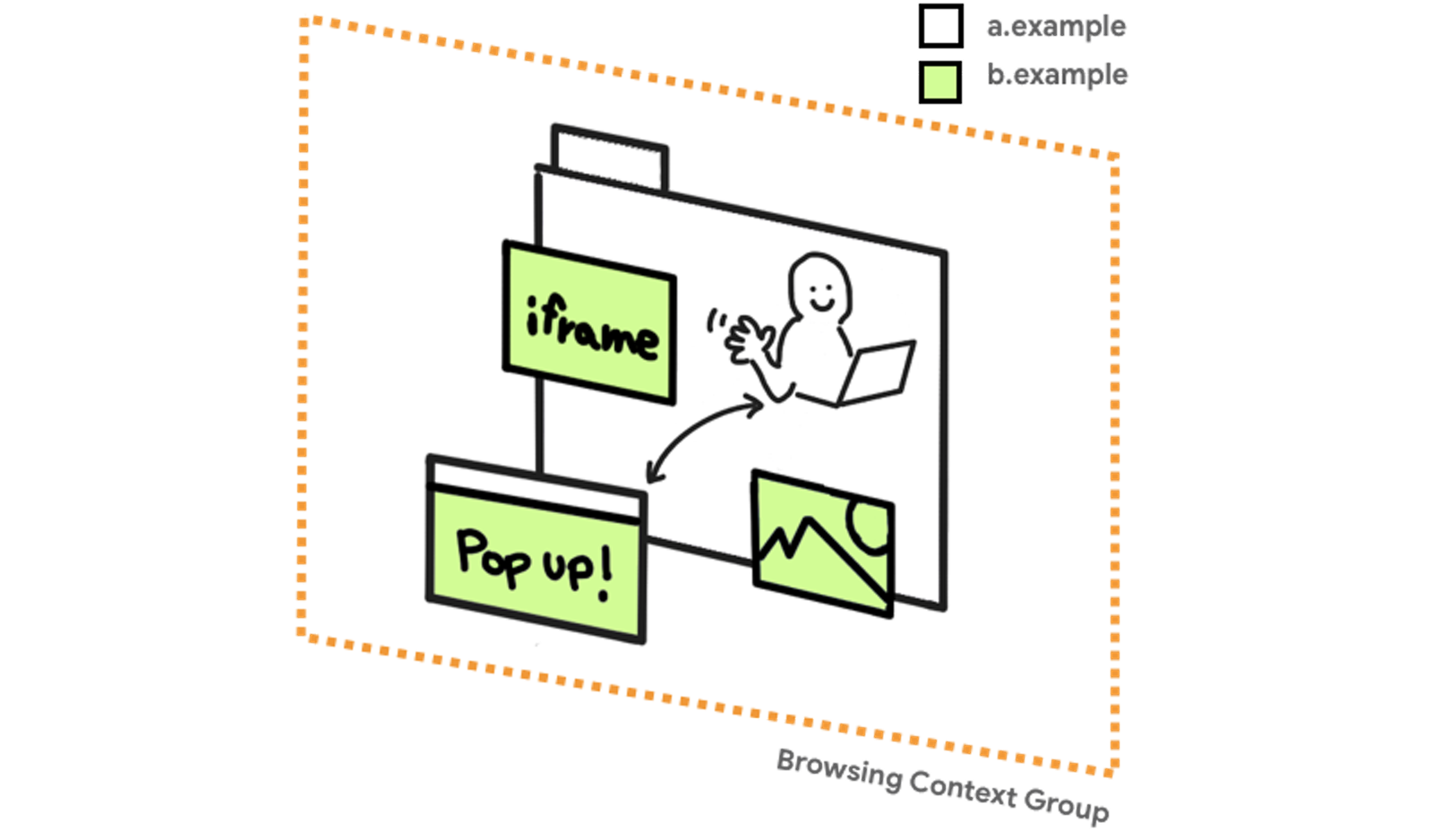
In a browser, each tab has a single URL that tells the user which page they are currently viewing. The URL displayed in the tab typically points to an HTML document, which then loads various resources such as images, videos, stylesheets, scripts, and fonts to render the entire web page. The domains of these individual resources do not necessarily match the domain of the page currently being viewed.
The domain displayed in the address bar is called the "first party," while any other domain among the loaded resources is called a "third party." (In other words, "third-party cookies" are cookies associated with third-party resources.)
When describing the relationship between two domains, if only the eTLD+1 (the effective Top-Level Domain plus one label = for example, example.com) matches, they are called same-site. If the scheme, hostname, and port number all match (for example, https://www.example.com:8080), they are called same-origin. Anything else is referred to as cross-site or cross-origin.
Throughout the rest of this article, I will explicitly distinguish between same-site/cross-site and same-origin/cross-origin. If you are unsure about the differences, please start here:
One of the web's greatest strengths is composability—the ability to piece together various resources from different domains (services) like a puzzle to create rich experiences. Especially since Web 2.0, this has evolved further with the introduction of APIs. For example:
- Loading a script to integrate analytics, analyze visitor behavior, or track users.
- Using iframes to embed external information as widgets, such as ads, social media buttons, customizable maps, or videos.
- Integrating features like logins and payments through communication with external sites via popup windows.
Cross-origin integration is arguably the defining characteristic of the web.
The Same-Origin Policy #
One of the scariest things online is when information you entrusted to the right place ends up somewhere unintended or is misused. It's an even bigger deal if that information includes credit card numbers or bank account details. In a web browser, the "right place" is represented as a domain, and its authenticity is ensured through HTTPS.
Attack surfaces for stealing information generally fall into three categories: the browser, the network, and the server. An attack within the browser essentially boils down to crossing the domain boundary. What enables different domains to interact in the browser while maintaining a degree of safety for each site is the Same-Origin Policy. It operates on a delicate balance: treating the origin as a boundary to keep sites mutually inviolable, while still allowing a degree of collaboration.
Consider an embedded video as an example. Because this cross-origin video is embedded within an iframe, it can be personalized using third-party cookies. If the user is logged into the provider's domain, they can conveniently perform actions on that account, such as "Watch later." However, unless an explicit API is provided, the embedding site cannot access this account information. Even if it traverses the DOM tree of the window object obtained from the iframe, the accessible information is limited. It's impossible to see what HTML is being displayed, let alone inspect the contents of the cookies.
The same applies to windows opened as popups. For instance, in a typical payment service integrated via a window opened with window.open(), if the DOM tree could be traversed, the merchant site could snoop on the user's credit card details. Therefore, the browser restricts the information that can be accessed both from the return value of window.open() and from the opened window's window.opener.
In this way, the browser's Same-Origin Policy prevents cross-origin scripts from accessing arbitrary information.
Cross-Origin Resource Sharing (CORS) #
When you look up Cross-Origin Resource Sharing (CORS), most articles describe it as "a mechanism for requesting cross-origin-hosted resources via fetch()." While that's not wrong, it's not the whole story. CORS also plays a role in access control within the browser.
For example, when loading a cross-origin image on your page, you can simply use an <img> tag without worrying about CORS at all. As long as the image is displayed at the specified size and the user can see it, there's no problem. However, the browser uses the Same-Origin Policy to prevent cross-origin scripts from inspecting the image's raw contents (binary data). This is called an Opaque Response.
If you try to retrieve the binary data of a cross-origin image by drawing it to a canvas using drawImage() and then calling getImageData(), Chrome, for instance, will fail with the error: DOMException: Failed to execute 'getImageData' on 'CanvasRenderingContext2D': The canvas has been tainted by cross-origin data. This is the Same-Origin Policy at work.
To make this possible, you must explicitly grant permission by adding the crossorigin attribute to the <img> tag and having the server support CORS.
I built a simple demo so you can try it out yourself.
In short, the Same-Origin Policy is what maintains a baseline of web security by having the browser control access between origins.
The threat of Spectre #
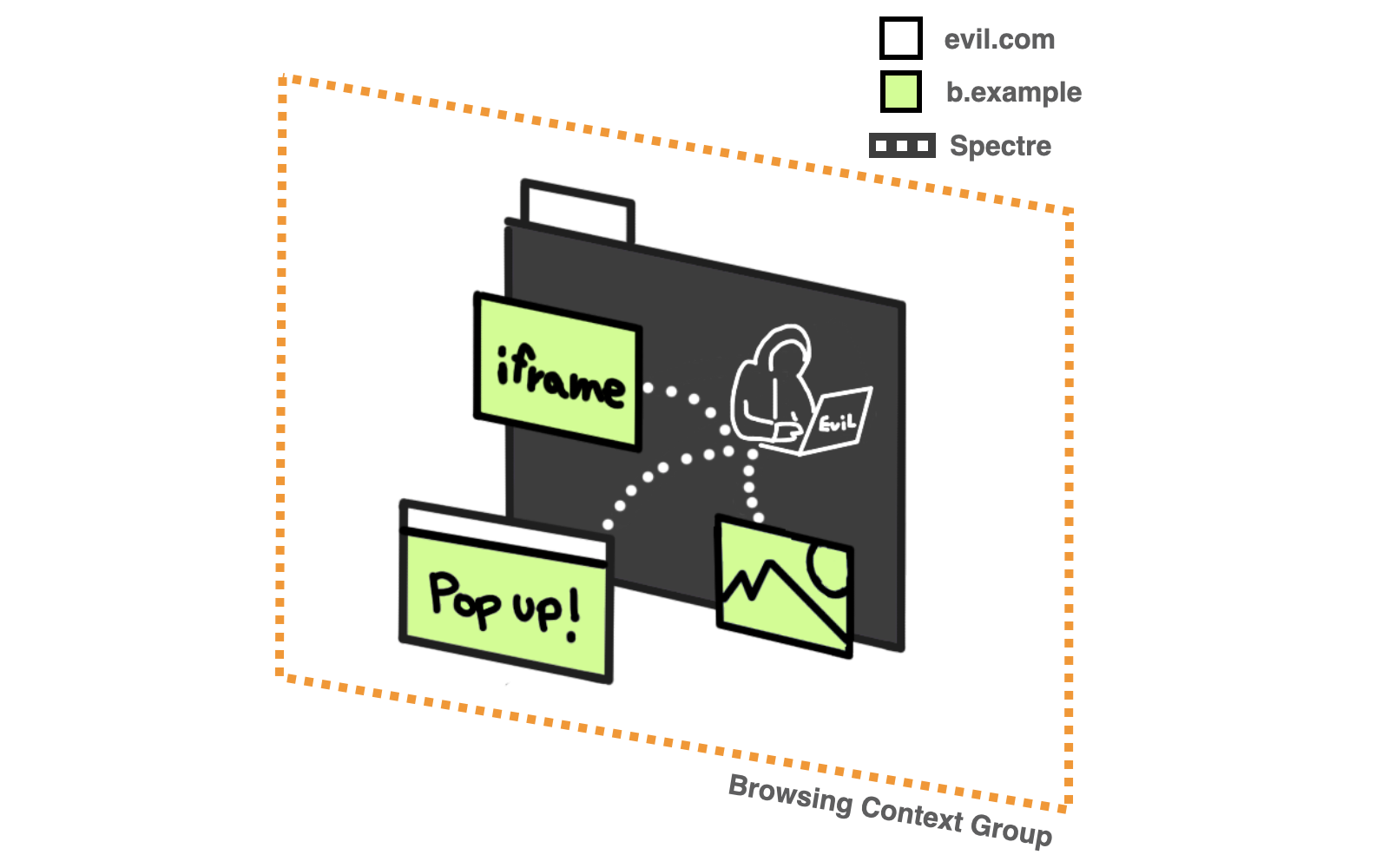
Spectre, disclosed in 2018, is a vulnerability rooted in the architecture of modern CPUs. Simply put, it allows an attacker to infer values within the memory space controlled by the same process. Because Spectre allows cross-origin scripts to bypass the Same-Origin Policy and peek at resources, it poses a massive threat given the nature of the web.
By loading malicious JavaScript, an attacker could bypass the Same-Origin Policy and read arbitrary DOM elements running in the same process. Under the browser architectures of the time, simply loading a resource through an attacker's page could lead to stolen information. If that resource contained credentials or data requiring authentication, that too was put at risk.
How browsers responded #
Spectre exploits high-resolution timers to extract information efficiently, so browser vendors decided to disable features related to high-resolution timing. The most notable casualty was SharedArrayBuffer. Other measures included reducing the precision of performance.now(). However, these were merely mitigations to reduce efficiency; Google's research showed that completely mitigating the Spectre threat required fundamental changes to browser architecture.
Site Isolation #
That brings us to Site Isolation. Site Isolation was a project already underway within the Chrome team before Spectre became known, originally designed to mitigate the risk of memory-related bugs bypassing the Same-Origin Policy. The discovery of Spectre accelerated this architecture's development, and it was rolled out experimentally in May 2018.
Chrome had traditionally created processes roughly on a per-tab basis. Site Isolation, as the name implies, separates processes on a per-site basis, isolating resources across sites to protect against Spectre. Specifically, it employs techniques like Cross-Origin Read Blocking (CORB) and Out-of-process iframes (OOPIFs). For more details, see the Site Isolation page.
Strictly speaking, it is more accurate to say "separating Browsing Context Groups" rather than "separating processes," but I use the term "process" here for simplicity.
Splitting processes more granularly incurs overhead, increasing memory consumption by about 10%, which makes it poorly suited for resource-constrained mobile devices. Consequently, Site Isolation was initially enabled only in desktop environments and on select mobile sites. That's why, for a period, SharedArrayBuffer was available only in desktop Chrome.
The problem, however, is that Site Isolation was Chrome's own proprietary architecture. While Firefox is currently working on a project to introduce a Site Isolation architecture called Fission, the web—built on standard technologies—cannot rely on a specific browser architecture to guarantee security.
This brings us to the main topic: HTTP response headers that instruct browsers to handle cross-origin resources properly—such as assigning them to separate processes—regardless of the browser's underlying architecture.
Preventing Spectre attacks proactively #
To prevent Spectre attacks, you must stop resources from your origin from being loaded into the same process as a malicious origin. By inspecting HTTP response headers, the browser's network process can block the resource or route it to a different renderer process before passing it to the malicious origin's renderer process.
Opening Chrome's Task Manager lets you see how processes are divided by looking at the Process ID groupings.
There are four sets of HTTP response headers you should add:
Cross-Origin-Resource-PolicyX-Frame-Optionsor CSPframe-ancestorsCross-Origin-Opener-Policy: same-origin-allow-popupsContent-TypeandX-Content-Type-Options: nosniff
Controlling resource embedding with Cross-Origin-Resource-Policy (CORP) #
You can restrict the loading of resources—such as images, videos, audio, scripts, and JSON via APIs—to same-origin or same-site, or allow it from anywhere with cross-origin. For example, here is how an image hosted at https://images.example.com behaves with each header:
Cross-Origin-Resource-Policy: same-originThis image can only be loaded by HTML documents served from the same-origin https://images.example.com.
Cross-Origin-Resource-Policy: same-siteThis image can also be loaded from domains that are same-site with example.com, such as https://www.example.com, but cannot be loaded from other eTLD+1s, such as https://site.example.
Cross-Origin-Resource-Policy: cross-originUpdate (2021/11/04): I originally wrote cross-site, but this was a typo for cross-origin.
An image with cross-origin (the default) specified can be loaded from any origin, not just https://images.example.com or example.com.
You can test these headers in this demo. Open DevTools to see the impact of the Cross-Origin-Resource-Policy header.
CORP is already supported in Chrome, Firefox, and Safari.
Please note that CORP does not stop resources from being served by the server. It is not a server-side Access Control List (ACL). It does not decide whether to serve a resource in response to requests from browsers that don't support CORP, other servers, or non-browser HTTP clients.
Also, while CORS is similar to CORP, it differs in that it can evaluate conditions more granularly and can refuse to serve responses depending on the requesting origin (Preflight Request).
Publicly available resources generally don't cause harm if stolen. The real concern is information served to authenticated users—which, in most cases, means resources requiring third-party cookies. In that case, setting appropriate SameSite attributes ensures that even if a Spectre trap is sprung, authenticated requests will not be sent.
Fortunately, cookies in Chrome and Edge default to SameSite=Lax. If you manage a service where SameSite was set to None without careful consideration, I recommend reviewing those settings alongside adopting CORP headers.
Controlling iframe embedding with X-Frame-Options or CSP frame-ancestors #
As of October 2021, all browsers permit HTML documents to be embedded in iframes by default. To prevent this, the resource provider must configure the appropriate settings.
To prevent cross-origin sites from loading your page in an iframe, either block it completely using the X-Frame-Options header, or explicitly declare which origins are permitted to embed it using the CSP (Content Security Policy) header's frame-ancestors directive.
X-Frame-Options: DENYAn HTML document with DENY specified will not load in an iframe regardless of the parent page's origin. Setting this to SAMEORIGIN allows it to load in an iframe only when the parent page is same-origin.
Content-Security-Policy: frame-ancestors 'self' https://www.example.com;An HTML document with the above CSP will not load in an iframe unless the parent page's origin is either the same as itself or https://www.example.com.
For any document not intended to be loaded in an iframe, adding X-Frame-Options: DENY is strongly recommended.
Both X-Frame-Options and CSP frame-ancestors are already supported in Chrome, Firefox, and Safari.
Controlling cross-window communication with Cross-Origin-Opener-Policy (COOP) #
Windows opened via window.open() have a way to communicate with each other using postMessage(). In this scenario, the browser places them in the same process even if they are cross-origin, making them targets for Spectre attacks.
The Cross-Origin-Opener-Policy (COOP) header lets you isolate cross-origin windows into separate processes when opened, ensuring safety. However, please note that communication via postMessage() will no longer be possible in that case.
Cross-Origin-Opener-Policy: same-originSpecifying same-origin isolates the process and prevents communication both when you open a cross-origin popup window yourself and when a cross-origin window opens a document from your origin.
Cross-Origin-Opener-Policy: same-origin-allow-popupssame-origin-allow-popups separates processes when opened by a cross-origin window, but does not separate them when you open a cross-origin window yourself. (However, the cross-origin window must not have COOP specified, or must specify unsafe-none.)
Cross-Origin-Opener-Policy: unsafe-noneunsafe-none is the default, explicitly indicating that processes do not need to be separated whether you open a cross-origin window or are opened by one. (Again, provided the cross-origin window either doesn't specify COOP or specifies unsafe-none.)
You can test these headers in this demo.
Similar to Cross-Origin-Opener-Policy: same-origin is a[rel="noopener"]. This also helps avoid Spectre risks that arise because new windows opened with <a target="_blank"> tags were historically opened in the same process by default. Fortunately, Chrome, Firefox, and Safari have all changed the default to rel="noopener", so you no longer need to worry about it. Conversely, to achieve the same behavior as Cross-Origin-Opener-Policy: unsafe-none, specify rel="opener".
Reference: リンクのへの rel=noopener 付与による Tabnabbing 対策 | blog.jxck.io
While COOP protects your site from Spectre attacks launched from cross-origin windows, care is required on pages designed to open cross-origin windows, such as those relying on OAuth or payment flows. I recommend adding Cross-Origin-Opener-Policy: same-origin-allow-popups to all HTML documents. (For debugging tips, see Making your website "cross-origin isolated" using COOP and COEP // Debug issues using Chrome DevTools.)
COOP is already supported in Chrome and Firefox, and is expected to be supported in Safari soon (as of October 2021).
Protecting resources from malicious cross-origin loading with X-Content-Type-Options: nosniff #
Historically, some browsers would automatically override the MIME type based on resource content even when a Content-Type was set, loading it into the page regardless—a known vulnerability. Because this behavior can be exploited to pull a resource into the same page process, it can be leveraged in Spectre attacks. Specifying X-Content-Type-Options: nosniff prevents this browser behavior. Be sure never to omit an appropriate Content-Type header alongside X-Content-Type-Options: nosniff.
X-Content-Type-Options: nosniffX-Content-Type-Options is supported across all browsers, including IE.
Looking ahead #
I've tried to summarize these complex topics as clearly as possible, but expecting every web developer to understand and implement all these headers doesn't seem entirely realistic. It would be great if browsers could handle this automatically. However, doing so would mean completely inverting today's default behaviors:
- Disallowing cross-origin HTML documents from being embedded by default = making
X-Frame-Options: DENYthe default. - Disallowing communication with cross-origin popup windows by default = making
Cross-Origin-Opener-Policy: same-origin-allow-popupsthe default.
The Chrome team is preparing to make this a reality, but flipping defaults to the complete opposite is a breaking change. As you can see, this is an unavoidable path toward making the web a safer place, and I hope as many developers as possible understand this and start preparing step by step.
The topics covered in this article were also presented as a session video at Google I/O 2021. Japanese subtitles are available, so please check it out:
While this article focused on several HTTP headers related to Spectre, there are a few other important ones. They are summarized on this page:
Additionally, Mike West's (@mikewest) Post-Spectre Web Development covers the topics discussed here from a more practical, use-case-oriented perspective. I highly recommend reading it:
Illustrations in this article were created by @kosamari.