
Introducing WebAuthn DevTools
by Eiji Kitamura
When implementing passkeys yourself or investigating how passkeys work on other websites, setting up a debugger to capture requests and responses or parsing binaries to read the contents is not easy. You can easily achieve this using a Chrome Extension called WebAuthn DevTools.
What is WebAuthn DevTools? #
WebAuthn DevTools is a Chrome Extension that streamlines WebAuthn debugging.
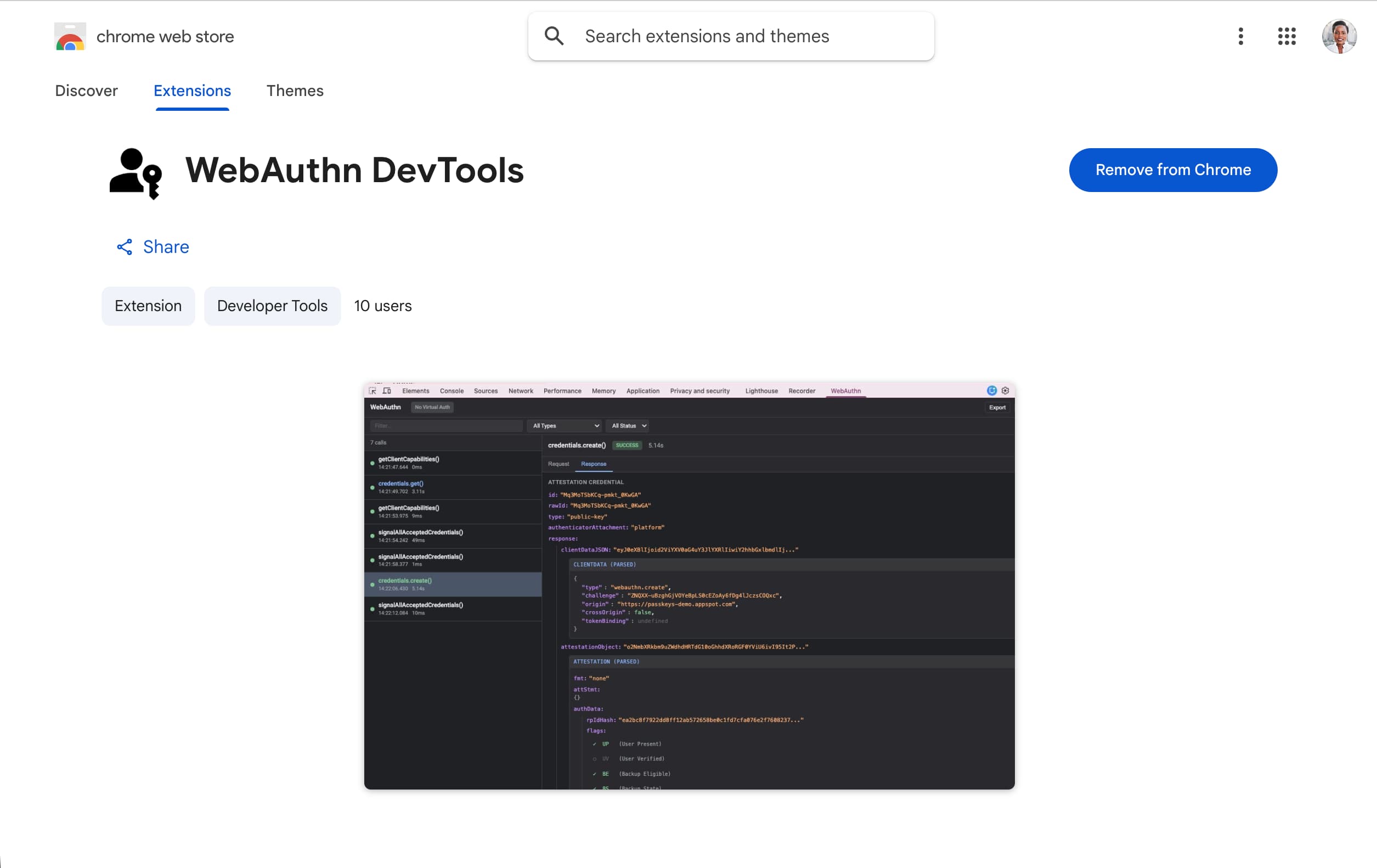
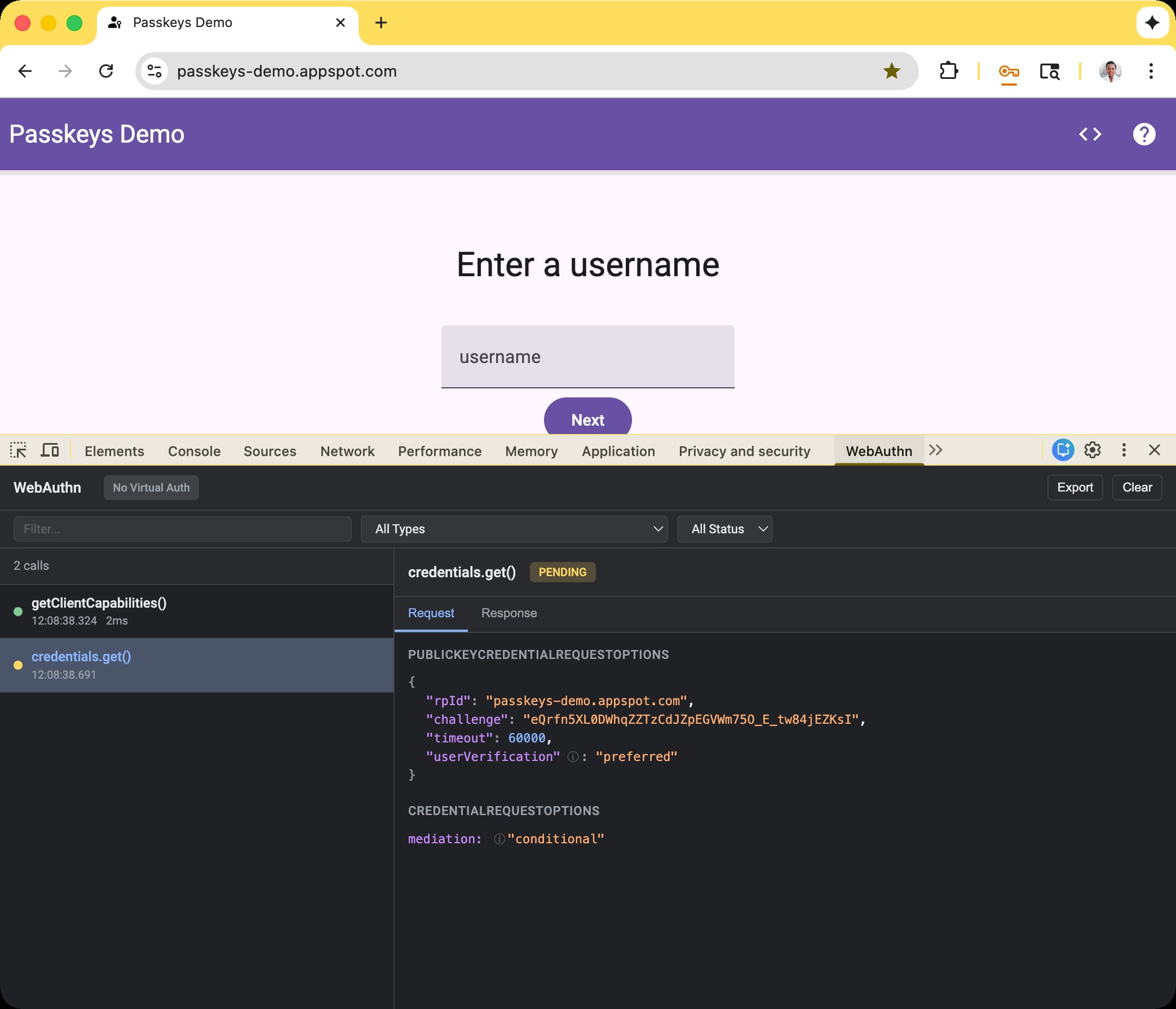
You can use it immediately by launching Chrome DevTools on a page where WebAuthn is used and selecting the "WebAuthn" tab.
The left panel displays executed WebAuthn commands, and the right panel shows detailed requests and responses.
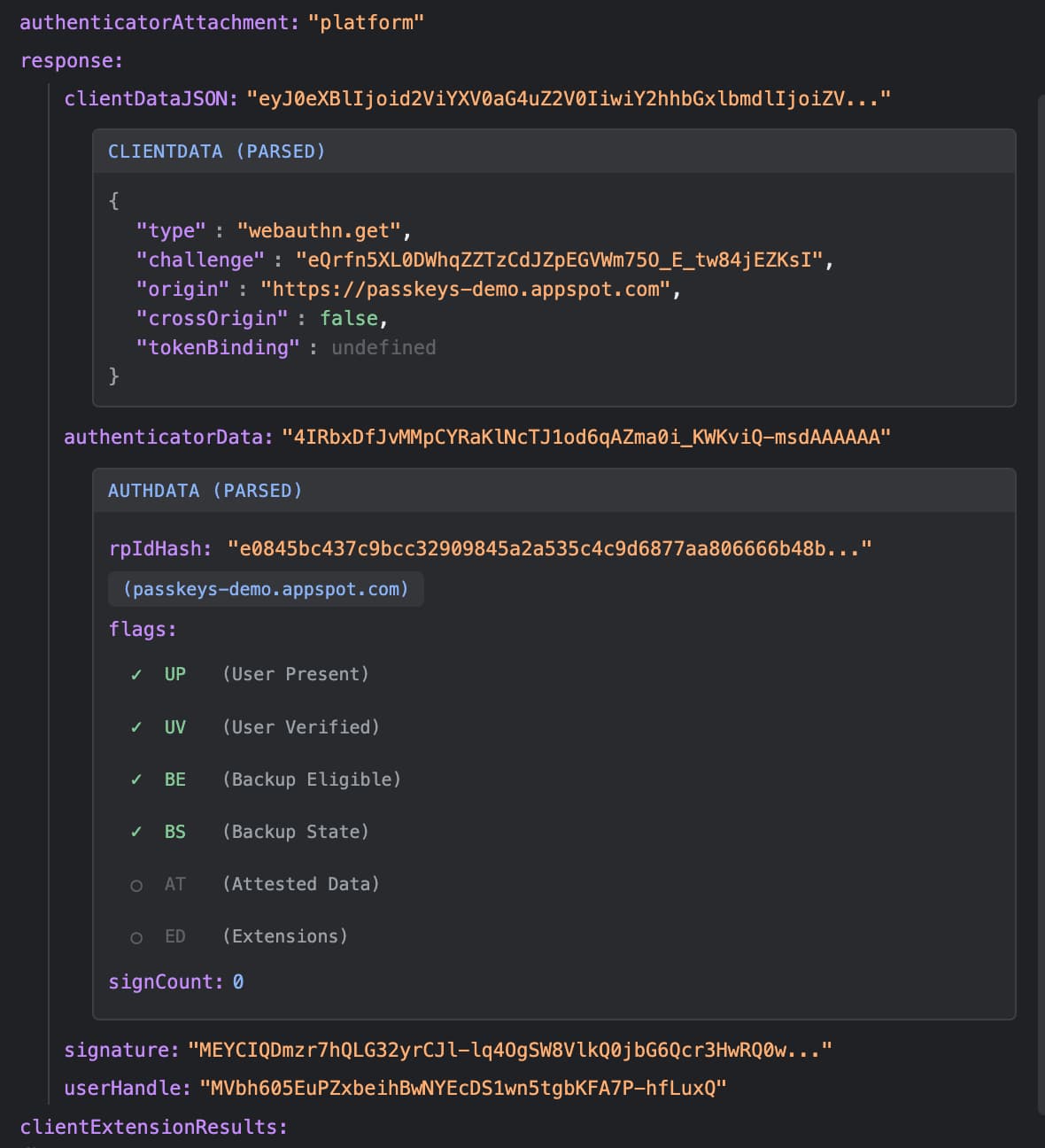
In particular, responses from navigator.credentials.get() and navigator.credentials.create() contain binaries, making it tedious to decode and read the contents, but WebAuthn DevTools displays parsed information on the spot. If the AAGUID is included, it also displays the name of the corresponding password manager.
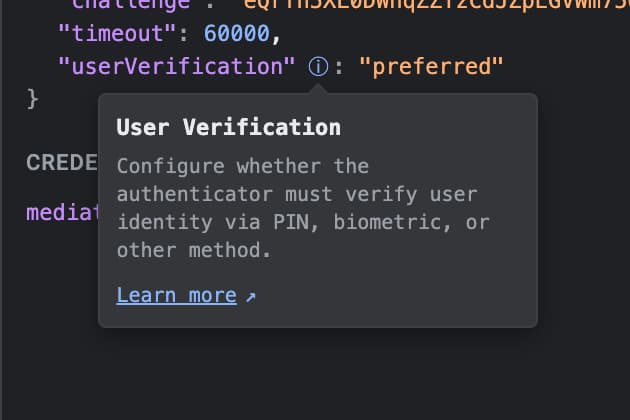
Also, some parameters display brief descriptions and links to learn more details.
Summary #
The source code is available at GitHub. I'm also considering Safari and Firefox versions in the future. It is a handy tool for those interested in passkeys and WebAuthn for quick investigation and debugging. Please give it a try.