
Mobile web apps on iPhone
by Eiji
It's been a while. This is Eiji, living a life completely immersed in web apps. Today, I'd like to share an exciting mobile web app discovery I came across.
OpenAppMkt #
This is a service designed for iPhone. You can use it without signing up, so if you have an iPhone, go ahead and give it a try.
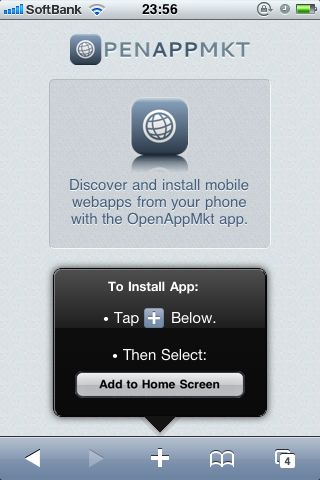
When you visit the site on an iPhone, it immediately prompts you to "Add to Home Screen", so let's do that. Naturally, an icon appears on the home screen. Here's where it gets interesting.
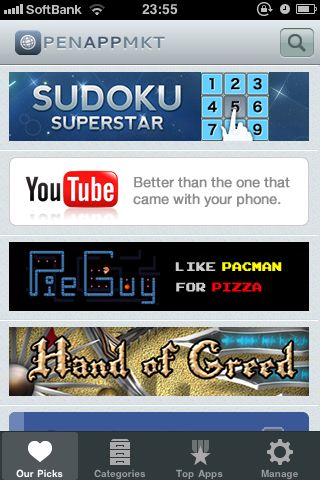
Tapping the icon launches what looks like a native app, not a browser (!). Since this is an app for installing other apps, I tried installing Facebook and launching it. The installation process here is the same: bookmark it to the home screen.

When you launch the Facebook app, it once again strangely opens what looks just like a native app. Yet the content is unmistakably the mobile web version of Facebook...
In fact, this is a web app. It appears Safari is running under the hood, just without displaying the navigation bar or menus. Who knew you could do something like this on an iPhone?
Mobile Web Applications #
Once you actually use it, you'll realize that this subtle change makes a world of difference in user experience (mostly in how it feels). It's almost puzzling why most iPhone web apps haven't adopted this approach until now. What looks like an ordinary website inside Safari feels completely natural to treat as a regular app when the browser chrome is stripped away.
The responsiveness is solid too, so with lightweight apps, you can use them without even realizing they're web apps. Best of all, being able to build iPhone apps with the exact same workflow as building for the web is a massive win for web developers. It's a simple technique, but one you definitely shouldn't overlook, especially since it lets you leverage existing web assets.
At this point, the remaining challenge is distribution: how to distribute the web apps you've built. That's precisely the role OpenAppMkt takes on. In short, it's a "web app version of the iTunes Store." (Though we shouldn't forget this, either.) I haven't looked into the details yet, but it seems to support monetization as well.
Combining with HTML5 for the Ultimate Web App #
As shown above, hiding Safari's menus and status bar is remarkably easy—you just need to include an apple-mobile-web-app-capable meta tag in your HTML. For details, take a look here.
Apparently, this feature has actually been available since OS 2.1. I vaguely remember hearing about it back then, but this was the first time I'd seen it in action in a real-world web app. In a sense, the iPhone may have been waiting for the arrival of HTML5 for this feature to truly shine.
Imagine pairing this with ApplicationCache and Web SQL Database. You could cache all basic resources locally using AppCache. For dynamic data, you'd store it in Web SQL Database while offline, detect when the device comes back online, and sync it to the cloud. With that architecture, you'd have a web app that works entirely offline.
It really gets your imagination running wild...